TL;DR
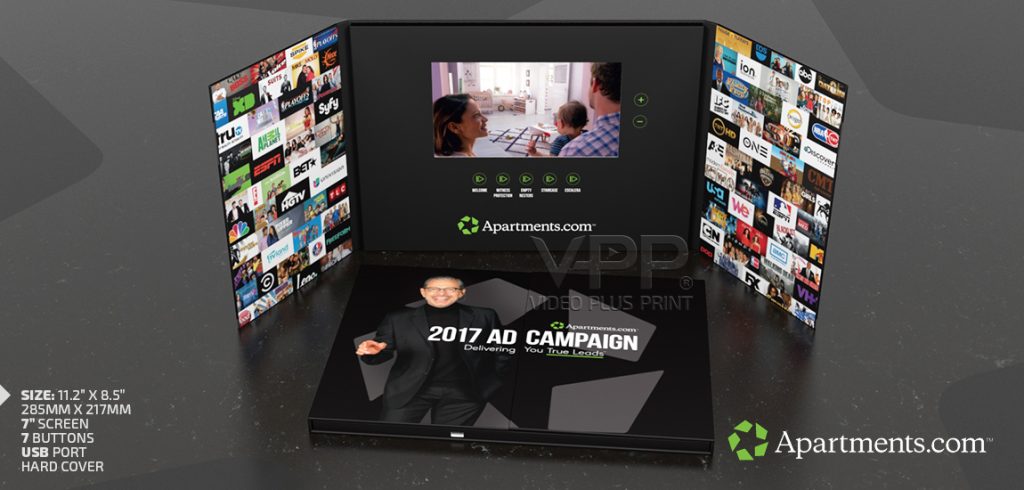
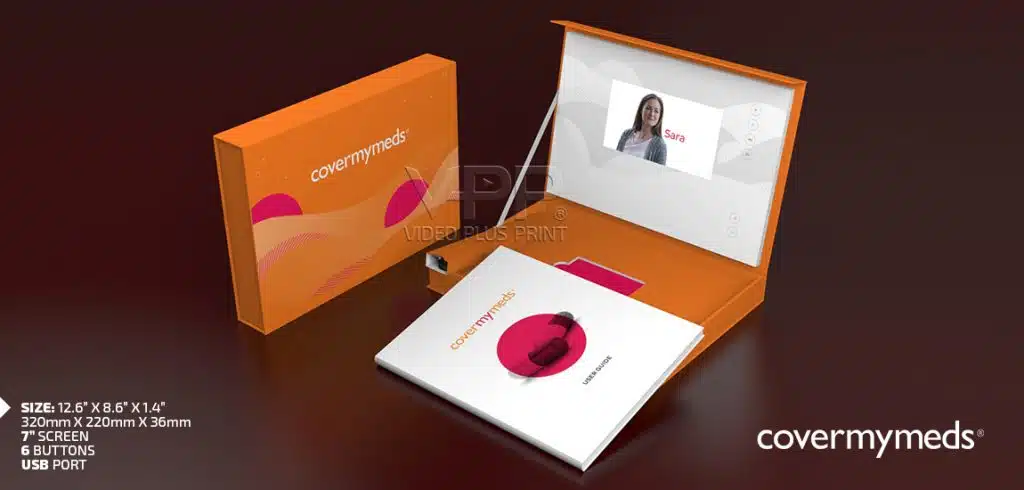
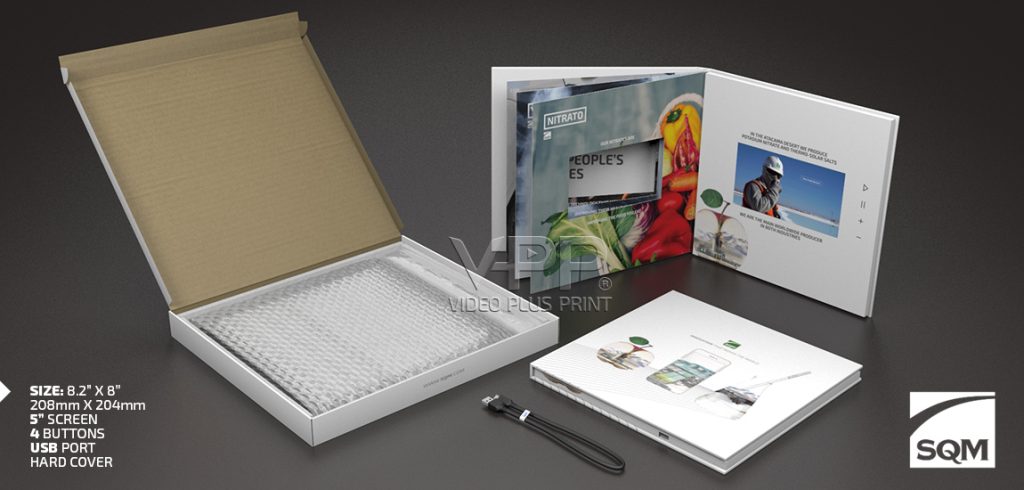
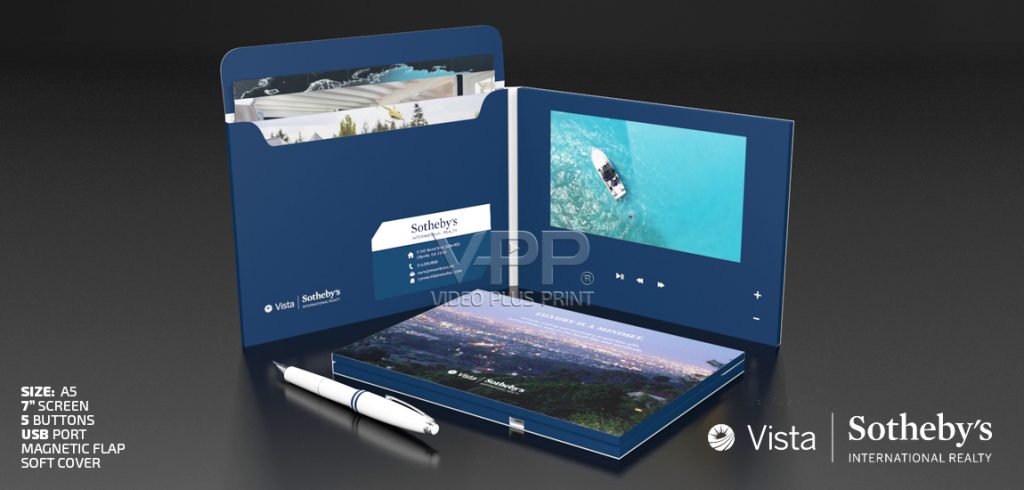
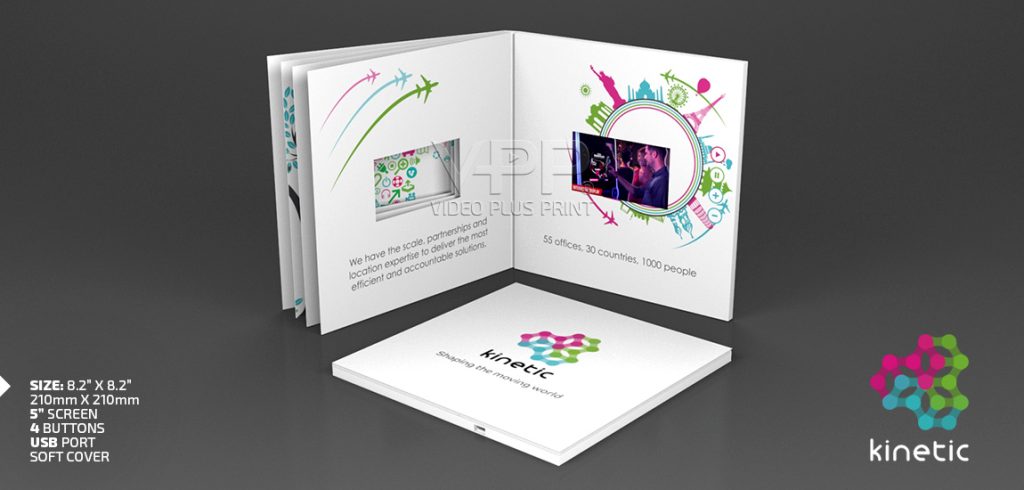
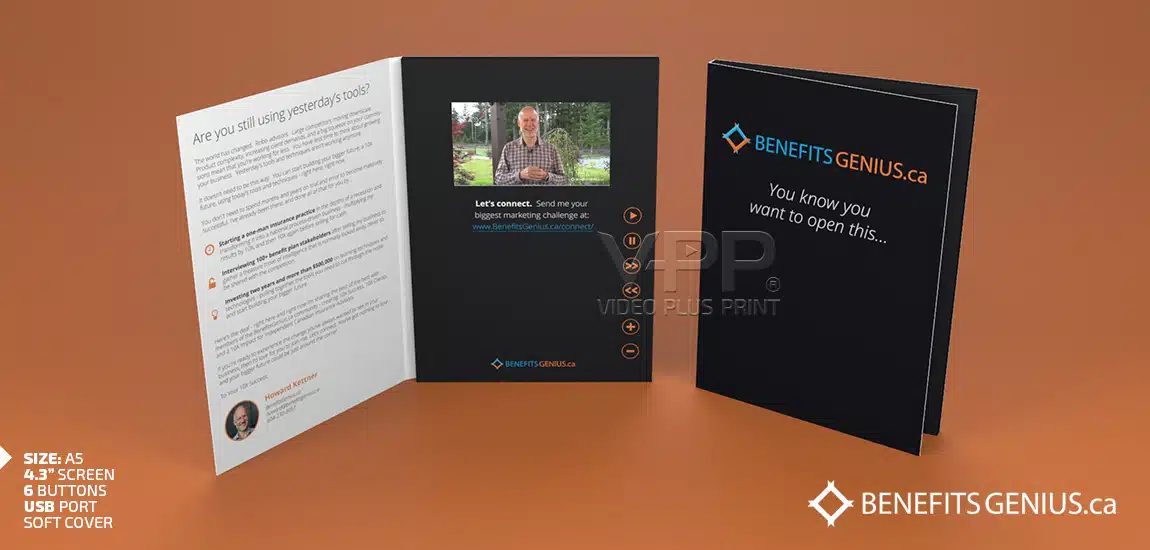
Every Video Brochure is designed to be simple and intuitive. Most models automatically begin playing when opened and can include customizable buttons for Play, Pause, Volume, Next, Previous, Replay, or multiple video selection. The exact button layout depends on your project and can be fully customized by Video Plus Print to match your marketing goals and user experience.
Quick Answers
The buttons on a Video Brochure allow viewers to control how they interact with your content. Depending on the design, users can start or pause playback, adjust the volume, replay a video, skip to another chapter, or choose between multiple videos. Every button layout is custom designed, giving businesses complete control over how customers experience their presentation
Key Takeaways
- Video Brochures can automatically play when opened.
- Button layouts are fully customizable.
- Common buttons include Play, Pause, Volume, Next, Previous, and Replay.
- Multiple videos can be loaded onto one Video Brochure.
- Navigation buttons improve the customer experience.
- Button icons and printed labels can be customized.
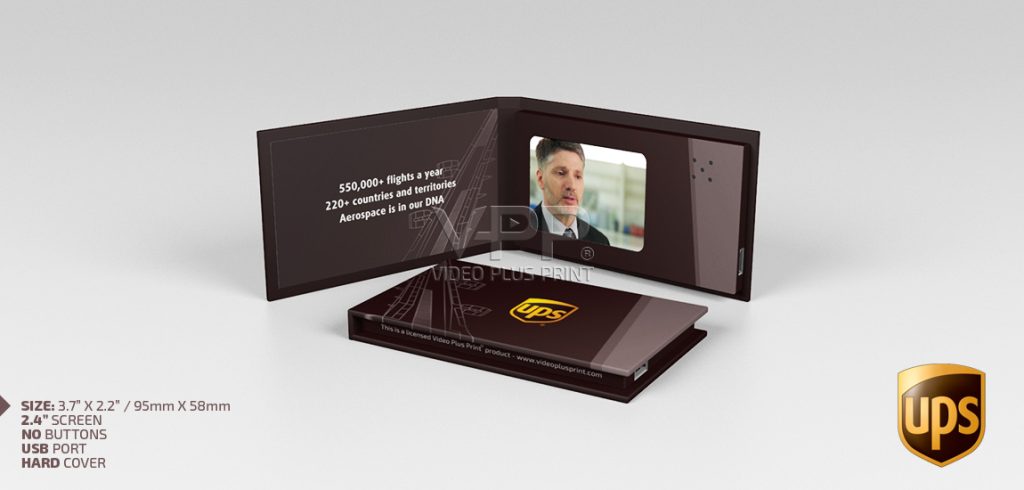
- Some Video Brochures are designed without visible buttons.
- Videos can usually be updated after production.
- Video Plus Print manufactures fully customized Video Brochures with no minimum order quantity.
- Since 2009, Video Plus Print has manufactured millions of video-in-print products for businesses worldwide.
Why Understanding Video Brochure Controls Matters
One of the biggest advantages of a Video Brochure is its ease of use.
Unlike online videos that require internet access, passwords, apps, or QR codes, a Video Brochure begins working the moment it’s opened.
For the viewer, there is nothing to learn.
Simply open the cover and your presentation begins.
Behind that simple experience, however, is a wide range of navigation options that can completely change how customers interact with your content.
Some companies want viewers to watch one uninterrupted presentation.
Others prefer giving customers the freedom to browse multiple videos, explore different products, or select information that’s most relevant to them.
Understanding how these controls work helps you choose the right configuration before your Video Brochure is manufactured.
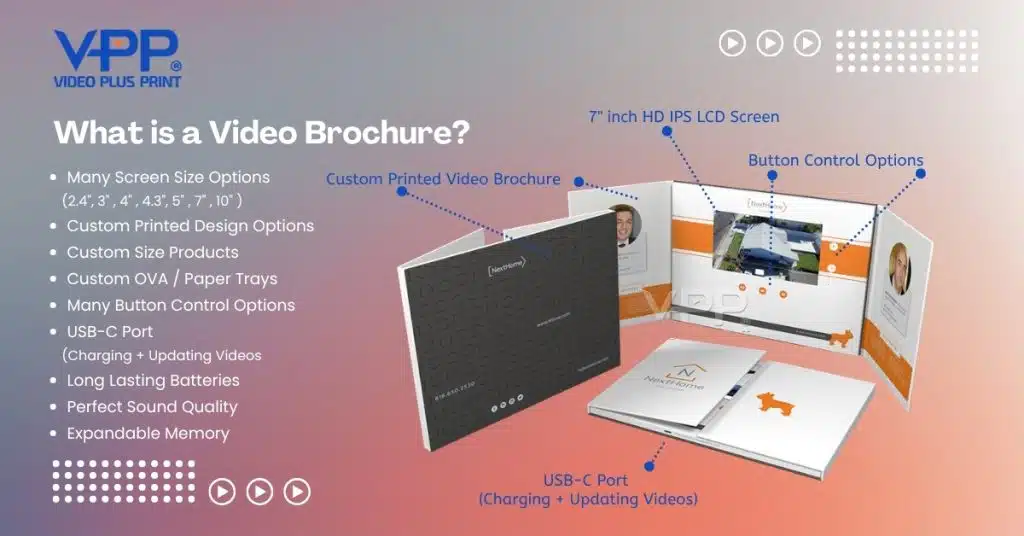
What Is a Video Brochure?
A Video Brochure combines premium printed materials with a built-in LCD screen, rechargeable battery, speaker, and internal memory.
When opened, the brochure automatically plays a preloaded HD video, instantly creating a memorable presentation without requiring Wi-Fi or an internet connection.
Businesses around the world use Video Brochures for:
- Product launches
- Sales presentations
- Executive meetings
- Trade shows
- Direct mail campaigns
- Investor presentations
- Healthcare education
- Corporate onboarding
- Recruiting
- Fundraising
- Luxury marketing
- Customer appreciation
The goal is simple.
Create a presentation that people remember.
How Video Brochure Navigation & Controls Work
Every Video Brochure contains a small electronic control board that manages video playback and user interaction.
These controls are designed to be intuitive, allowing anyone to operate the brochure without instructions.
The navigation system can include:
- Automatic playback
- Play button
- Pause button
- Replay button
- Volume controls
- Next video
- Previous video
- Chapter selection
- Multiple video buttons
- Power button (optional)
The exact combination depends entirely on your project.
There is no standard layout because every Video Brochure is custom manufactured.
Automatic Video Playback
One of the most popular features is automatic video playback.
When the brochure is opened, a hidden magnetic sensor activates the electronics and immediately starts playing the video.
There are no buttons to press.
No setup required.
No waiting.
This creates a premium customer experience because the story begins instantly.
Automatic playback is especially popular for:
- Sales presentations
- Executive gifts
- Product launches
- Healthcare presentations
- Luxury brands
- Investor packages
Many customers choose automatic playback because it guarantees every viewer sees the introduction exactly as intended.
The Play Button
Although most Video Brochures begin playing automatically, the Play button serves an important purpose.
It allows viewers to:
- Restart a video
- Resume after pausing
- Replay a presentation
- Review important information
For marketing campaigns, this means prospects can watch your message multiple times without needing another device.
The Pause Button
Sometimes viewers need a moment to absorb information.
That’s where the Pause button becomes valuable.
Instead of rushing through a presentation, viewers can stop the video to:
- Read printed information
- Discuss content
- Ask questions
- Examine product samples
- Take notes
Healthcare companies, educators, and corporate trainers often include Pause functionality because it encourages discussion and improves learning
Volume Controls
Audio plays a major role in creating an engaging presentation.
Volume buttons allow users to increase or decrease the sound depending on their environment. These are the most important as it causes interaction with the brochure, which also means they are holding your brand that much longer. The longer they are interacting with your brand and getting exciting on what they are holding, the emotion purchase program has more time to kick in.
This is especially useful during:
- Trade shows
- Sales meetings
- Conferences
- Waiting rooms
- Reception areas
- Shared office spaces
Some customers also choose to include a headphone jack for private viewing, creating a more personalized experience.
Skip, Next, and Previous Buttons
Not every customer wants to watch one long presentation.
Many businesses divide their content into multiple videos.
Navigation buttons allow viewers to move between different topics quickly.
For example:
Video 1
Company Introduction
Video 2
Product Demonstration
Video 3
Customer Testimonials
Video 4
Technical Specifications
Video 5
Call to Action
Instead of forcing viewers through a single presentation, they can jump directly to the information most relevant to them.
This is one of the biggest advantages of custom Video Brochures over traditional printed marketing.
Multiple Video Selection
Many organizations don’t realize a single Video Brochure can contain multiple videos.
As long as there is sufficient memory available, your brochure can include several presentations organized into easy-to-use chapters.
Popular examples include:
Healthcare
- Welcome Message
- Procedure Overview
- Patient Testimonials
- Recovery Information
Manufacturing
- Company Overview
- Factory Tour
- Product Demonstrations
- Safety Information
Financial Services
- Investment Options
- Retirement Planning
- Wealth Management
- Client Success Stories
Technology
- Software Demo
- Product Features
- Customer Case Studies
- Training Videos
Instead of creating multiple brochures, everything can be organized inside one presentation.
Custom Button Layouts
Every business communicates differently.
That’s why Video Plus Print customizes every button layout based on the project.
Some clients prefer a clean presentation with no visible buttons.
Others require complete navigation control.
Popular button combinations include:
- Play / Pause
- Volume Up / Volume Down
- Next / Previous
- Replay
- Home
- Chapter Selection
- Dedicated Product Buttons
- Language Selection
Each button can also be customized with printed icons, symbols, or text that matches your branding.
This creates a professional presentation that’s both intuitive and visually appealing.
Designing the Best Video Brochure User Experience
The best Video Brochure isn’t the one with the most buttons.
It’s the one that’s easiest for your audience to use.
When planning your project, ask yourself:
- Will viewers watch one video or several?
- Should playback start automatically?
- Do they need volume controls?
- Will they revisit specific sections?
- Should navigation be simple or interactive?
Answering these questions helps determine the ideal button configuration for your presentation.
A thoughtfully designed navigation system makes your Video Brochure feel effortless while ensuring viewers focus on your message rather than figuring out how to use the product.
Advanced Video Brochure Controls and Navigation Features
Once you’ve decided on the basic button layout, you can take your Video Brochure to the next level with advanced navigation and interactive features.
Because every Video Brochure is custom manufactured, there are virtually no limits to how your content can be organized. The goal is to create an experience that feels natural, intuitive, and engaging for your audience.
Whether you’re presenting a single promotional video or an interactive product catalog, the right controls can dramatically improve the user experience.
Can a Video Brochure Play Multiple Videos?
Yes.
One of the most popular features available today is the ability to store and play multiple videos within a single Video Brochure.
Instead of one long presentation, you can organize your content into separate chapters or categories that viewers can easily navigate.
For example, a manufacturing company could organize their brochure like this:
- Welcome Message
- Company Overview
- Manufacturing Capabilities
- Product Demonstrations
- Customer Testimonials
- Contact Information
A healthcare organization might organize content differently:
- Welcome from the Physician
- Treatment Options
- Patient Testimonials
- Frequently Asked Questions
- Next Steps
This approach allows viewers to access the information most relevant to them without sitting through unnecessary content.
Dedicated Buttons for Individual Videos
Instead of using “Next” and “Previous” buttons, many companies choose dedicated buttons that launch specific videos instantly.
For example:
- About Us
- Products
- Services
- Testimonials
- Case Studies
- Contact
This navigation style is especially popular for:
- Sales presentations
- Corporate capabilities
- Healthcare education
- Product catalogs
- Training materials
- Investor presentations
It creates an experience that feels similar to navigating a website but without requiring an internet connection.
Should You Choose Automatic Playback or Manual Controls?
There isn’t a single correct answer.
The best option depends entirely on how your audience will use the Video Brochure.
Automatic Playback Works Best For:
- Direct mail campaigns
- Product launches
- Executive presentations
- Luxury invitations
- Marketing campaigns
- Trade show giveaways
Automatic playback immediately captures attention without requiring any interaction.
Manual Navigation Works Best For:
- Product catalogs
- Training manuals
- Healthcare information
- Educational presentations
- Corporate onboarding
- Multi-language presentations
Manual controls allow viewers to learn at their own pace.
Many organizations combine both features by automatically playing an introduction and then allowing users to navigate additional videos afterward.
Can Videos Be Updated Later?
Yes.
All Video Brochures manufactured by Video Plus Print allow videos to be updated after production. Unless you ask us to LOCK the device from being changed.
Simply connect the brochure to your PC computer using the supplied USB or USB-C cable.
The internal memory appears just like a removable storage device.
From there you can:
- Replace videos
- Add new videos
- Delete existing videos
- Update presentations
- Refresh marketing campaigns
This flexibility allows many customers to reuse the same Video Brochures for multiple campaigns, helping maximize their return on investment.
Can Video Brochure Buttons Be Customized?
Absolutely.
Every project is different, which is why Video Plus Print designs each button layout specifically for your application.
Customization options include:
- Number of buttons
- Button placement
- Button color
- Printed icons
- Company branding
- Language selection
- Chapter names
- Function programming
Whether you want one simple Play button or a fully interactive navigation system, everything can be customized.
Beyond Video Brochures
Many of the same navigation features found in Video Brochures are also available across the entire Video Plus Print product line.
These include:
Video Mailers
Perfect for direct mail campaigns where the presentation begins immediately after opening.
Video Boxes
Ideal for luxury product launches, influencer kits, executive gifts, and premium packaging with interactive video.
Video Packaging
Transforms product packaging into a multimedia experience that combines presentation with product protection.
Video Folders
Combines HD video with printed literature, contracts, proposals, and marketing materials.
Video Books
Offers additional printed pages alongside built-in video, making them ideal for catalogs, annual reports, training guides, and premium publications.
Video Business Cards
Compact, portable, and designed for networking, executive introductions, and high-impact first impressions.
Every product can be customized with unique navigation controls, allowing businesses to create a consistent interactive experience across their entire marketing strategy.
Why Choose Video Plus Print?
Since 2009, Video Plus Print has manufactured millions of video-in-print products and has become North America’s largest direct manufacturer of Video Brochures, Video Mailers, Video Boxes, Video Packaging, Video Folders, Video Books, Video Business Cards, Video Cards, and Video Post Cards, helping businesses worldwide create memorable marketing experiences that drive measurable results.
Unlike many suppliers, Video Plus Print manufactures directly from its own facility, giving customers greater control over quality, customization, production timelines, and pricing. Every product is built using premium Grade A electronic components, ensuring reliable performance and exceptional presentation quality.
With an Accounting Office in Florida, offices in Canada and Hong Kong, and our own manufacturing facility in Shenzhen, China, we provide factory-direct pricing, worldwide shipping, complete customization, and no minimum order quantity. Whether you need a single prototype or a global production run, our team is committed to helping you create a video-in-print solution that exceeds expectations.
Final Thoughts
The buttons on a Video Brochure may seem like a small detail, but they play a major role in shaping the viewer’s experience.
A well-designed navigation system makes your presentation easier to use, encourages viewers to engage with your content, and helps ensure they remember your message long after the brochure is closed.
Whether you choose automatic playback, simple controls, or a fully interactive multi-video presentation, the right configuration can dramatically improve the effectiveness of your marketing.
By working with an experienced direct manufacturer, you gain the flexibility to customize every aspect of your Video Brochure, from the electronics and button layout to the print finishes and packaging.
At Video Plus Print, our team will help you select the ideal navigation system to match your audience, your campaign objectives, and your budget, ensuring every presentation delivers the experience your brand deserves.
Frequently Asked Questions About Video Brochure Buttons, Navigation & Controls
Q: What do the buttons on a Video Brochure do?
A: Video Brochure buttons allow viewers to control video playback. Depending on the design, they can play, pause, adjust the volume, replay a video, skip between videos, or navigate through multiple chapters. Every button layout is fully customizable to match your presentation.
Q: How do I pause a Video Brochure?
A: If your Video Brochure includes a Play/Pause button, simply press it once to pause the video. Press it again to resume playback from where it stopped.
Q: How do I adjust the volume on a Video Brochure?
A: Most Video Brochures include dedicated Volume Up and Volume Down buttons that allow viewers to quickly increase or decrease the audio level during playback.
Q: How do I skip to a different video or chapter on a Video Brochure?
A: If multiple videos are programmed onto the Video Brochure, simply use the Next and Previous buttons or dedicated chapter buttons to move between videos.
Q: What if the buttons on my Video Brochure stop working?
A: First, make sure the battery is fully charged and the brochure is opening completely. If the issue continues, contact Video Plus Print for technical support. Our products are manufactured using premium Grade A electronic components for long-term reliability.
Q: How do I turn off a Video Brochure?
A: Most Video Brochures automatically power off when the cover is closed using a built-in magnetic sensor. Some custom models may also include a dedicated power button.
Q: Can a Video Brochure be controlled with a remote?
A: Standard Video Brochures use built-in navigation buttons. Remote controls are not typically required, although custom electronic solutions may be available for specialized projects.
Q: How do I switch between multiple videos on one Video Brochure?
A: You can switch between videos using the Next and Previous buttons or dedicated chapter buttons that launch specific videos instantly.
Q: Can I customize the button layout on my Video Brochure?
A: Yes. Every Video Brochure is custom manufactured, allowing you to choose the number of buttons, their placement, printed icons, functions, and overall navigation experience.
Q: Can a Video Brochure have no visible buttons?
A: Yes. Many customers prefer automatic playback with no visible buttons, creating a clean and elegant presentation where the video begins as soon as the brochure is opened.
Q: Can I assign different buttons to different videos?
A: Absolutely. Each button can be programmed to launch a specific video, making it easy for viewers to select the content most relevant to them.
Q: Can I replay a video after it finishes?
A: Yes. Most Video Brochures include a Replay or Play button, allowing viewers to watch the presentation as many times as they like.
Q: Do all Video Brochures use the same button layout?
A: No. Every project is custom designed, so the button configuration is tailored to your marketing goals, video content, and customer experience.
Q: Can the button icons and labels be customized?
A: Yes. Button icons, printed text, colours, and layouts can all be customized to match your brand identity and make navigation simple for your audience.
Q: What is the most popular Video Brochure button configuration?
A: One of the most popular layouts includes Auto Play, Play/Pause, Volume Up, Volume Down, Next, and Previous buttons because it offers simple, intuitive navigation for most presentations.
Q: Can Video Brochures autoplay without pressing any buttons?
A: Yes. Most Video Brochures automatically begin playing when opened using a hidden magnetic switch, creating an immediate and engaging viewing experience.
Q: Can a Video Brochure play multiple videos automatically?
A: Yes. Multiple videos can be programmed to play in sequence automatically or be selected individually using navigation buttons.
Q: How many buttons can a Video Brochure have?
A: The number of buttons is fully customizable. Some projects use one or two buttons, while others include six or more depending on the desired functionality. It also depends on space available with the size of the brochure.
Q: Can I lock the buttons so viewers can’t skip the video?
A: Yes. Video Plus Print can configure Video Brochures so the main presentation plays uninterrupted before allowing viewers to access additional content, or remove navigation buttons entirely.
Q: Can the buttons control photos, presentations, or other media?
A: Yes. Custom programming can allow buttons to navigate videos, photo galleries, presentations, training materials, and other multimedia content stored on the internal memory.
Q: Can I update the videos after my Video Brochure has been manufactured?
A: Yes. All Video Brochures allow you to update the content by connecting the brochure to a computer using the supplied USB to USB-C cable and replacing the video files.
Q: Can Video Brochures include illuminated or backlit buttons?
A: Yes. Certain custom projects can include illuminated or backlit buttons to create an even more premium and interactive presentation.
Q: What happens if someone presses multiple buttons at once?
A: The internal electronics are designed to process user input efficiently, ensuring smooth and reliable operation during normal use. Pressing one button at a time, will work best.
Q: Are touchscreen Video Brochures available?
A: Yes. While most Video Brochures use physical buttons, touchscreen LCD options are available for specialized applications requiring advanced interactivity. Screen sizes are 7″ and 10″ typically for most touch screen options.
Q: How durable are the buttons on a Video Brochure?
A: Video Plus Print uses premium Grade A electronic components designed for repeated use, providing reliable performance throughout the life of the product.
Q: Can I add my company logo or branding beside the buttons?
A: Absolutely. Button areas can include custom graphics, printed instructions, icons, colours, and company branding for a fully personalized presentation.
Q: Which button layout works best for sales presentations?
A: Most sales presentations benefit from automatic playback combined with Play/Pause, Volume, Next, and Previous buttons, creating a simple and professional user experience.
Q: Which industries benefit most from custom Video Brochure controls?
A: Healthcare, technology, manufacturing, finance, education, real estate, hospitality, automotive, and luxury brands all benefit from customized navigation that improves customer engagement and communication.
Q: Can Video Plus Print help me design the best button layout for my project?
A: Yes. Our experienced team will recommend the ideal button configuration based on your content, audience, marketing objectives, and overall user experience.
Q: Why choose Video Plus Print for custom Video Brochures?
A: Since 2009, Video Plus Print has manufactured millions of video-in-print products and has become North America’s largest direct manufacturer of Video Brochures, Video Mailers, Video Boxes, Video Packaging, Video Folders, Video Books, Video Business Cards, Video Cards, and Video Post Cards. We manufacture directly using premium Grade A electronics and offer complete customization, factory-direct pricing, worldwide shipping, and no minimum order quantity. Whether you need a single prototype or a global marketing campaign, our team is committed to helping you create innovative video-in-print solutions that get opened, watched, and remembered.