
Video Books
Home » Products » Video Books
Custom Video Books with Built-In LCD Screens
Every Page Tells a Story. Every Turn Brings It to Life.
Video Books combine professionally printed pages with built-in LCD video screens, sound, and automatic playback.
Turn printed pages into an interactive presentation that customers can hold, watch, and explore.
Video Plus Print manufactures Custom Video Books for corporate presentations, product launches, premium marketing campaigns, and business communications.
Choose your screen size, printed design, video content, and premium finishes.
What Are Video Books?
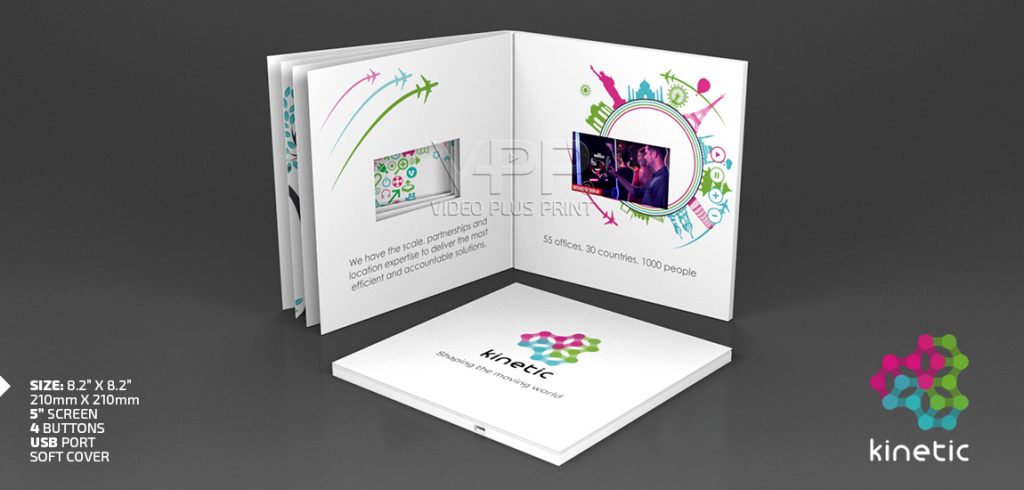
Video Books are physical, multi-page printed books featuring built-in LCD video screens, speakers, rechargeable batteries, and internal memory.
Unlike traditional printed books, Video Books can automatically play video when opened or when specific pages turn.
Each printed page can introduce a different topic, product, or message while the LCD screen displays related video content.
The combination allows businesses to deliver detailed information through print, sound, and moving images.
Video Books work without Wi-Fi, mobile applications, or an internet connection.
They are popular for corporate presentations, product demonstrations, executive communications, and premium marketing materials.

Key Takeaways About Video Books
Multi-Page Design: Combine printed pages with video presentations.
Built-In LCD Screens: Display video directly inside the physical book.
Automatic Playback: Activate video when opening or turning configured pages.
Multiple Videos: Organize different videos around your printed content.
Premium Printing: Choose custom artwork, sizes, materials, and finishes.
Rechargeable Battery: Watch video without connecting to external power.
USB-C Updates: Compatible models support video updates using a Mac or PC.
Factory-Direct Manufacturing: Order Custom Video Books directly from Video Plus Print.
How Do Multi-Page Video Books Work?
Video Books combine electronic video technology with professionally printed book pages. A compact LCD screen, speaker, rechargeable battery, and internal memory are built into the book.
Depending on the configuration, magnetic sensors activate video when the cover opens or selected pages turn.
Step 1: Open the Video Book
The recipient opens the printed cover and discovers the first section of your presentation. The opening action can automatically activate the LCD screen.
Step 2: Watch the First Video
The screen plays your preloaded video with sound. Your message can begin immediately without requiring buttons, applications, or internet access.
Step 3: Turn the Printed Pages
Each page can introduce new printed information. Compatible page-turn sensors can trigger different videos as the reader moves through the book.
Step 4: Continue the Presentation
The recipient explores additional sections through printed artwork and related video content. The result is a multi-chapter presentation that combines physical storytelling with digital media.


What Makes Video Books Different From Video Brochures?
Video Books and Video Brochures both combine printing with LCD video technology. The biggest difference is how much printed content they can display and how readers interact with it.
Video Brochures typically open to a single printed spread containing an LCD screen.
Video Books feature multiple printed pages that support longer presentations and more detailed storytelling.
| Feature | Video Books | Video Brochures |
|---|---|---|
| Printed pages | Multiple pages | Typically one opening spread |
| Built-in LCD screen | Yes | Yes |
| Automatic playback | Yes | Yes |
| Page-turn video activation | Available | Not typical |
| Multiple video chapters | Available | Available |
| Hardcover options | Yes | Yes |
| Detailed printed content | More space | More limited |
| Premium presentations | Excellent | Excellent |
| Production cost | Usually higher | Often lower |
Which product should you choose?
Choose Video Books when your presentation requires multiple sections, additional printed information, or sequential video storytelling.
Choose Video Brochures when one opening spread can deliver your message effectively.
How Can You Organize Multiple Videos Inside One Video Book?
Video Books allow businesses to present information in a logical sequence. Instead of placing every message into one long video, you can divide the presentation into shorter chapters.
For example, a four-part corporate Video Book could follow this structure.
Page 1: Company Introduction
Introduce your company, products, and key message. Use an opening video to establish the purpose of the presentation.
Page 2: Products and Services
Highlight your main products or services through printed content. Use video to demonstrate important features and benefits.
Page 3: Experience and Capabilities
Present manufacturing, services, technology, or completed projects. Support the information with video demonstrations or company footage.
Page 4: Next Steps
Summarize your main message and explain how customers can contact your business. Include printed contact information, a QR code, or a clear call to action.
The final number of printed pages and video chapters depends on your project specifications.


Can Video Books Play Multiple Videos?
Yes.
Video Books can contain multiple preloaded video files.
Depending on the electronics configuration, readers can select videos using navigation buttons or activate videos by turning specific pages.
This makes Video Books suitable for presentations containing different products, departments, or topics.
Internal memory capacity determines how much video content the book can store.
Our team can help select the right memory and playback configuration for your presentation.
Get A FREE Video Book Quote!
How to I order? Fill out the online form, call 214-932-4030 or email us.

How Much Do Custom Video Books Cost?
Video Book pricing depends on screen size, book construction, quantity, printed pages, and electronic features.
Video Plus Print currently lists approximately $40 to $75 USD per unit for select softcover Video Books ordered in quantities of 100 or more.
This is a reference range rather than a guaranteed price for every configuration.
Hardcover construction, larger LCD screens, additional pages, premium finishes, and complex electronics can increase costs.
Larger orders generally offer better manufacturing pricing per unit.
For an accurate quotation, provide your preferred book dimensions, LCD screen size, number of pages, and quantity.
How Do You Design a Custom Video Book?
Every Video Book begins with an approved printed layout and video content.
Video Plus Print provides artwork templates to help designers prepare the finished product.
Your design should consider the LCD screen position, page dimensions, printed content, and optional playback controls.
Keep important text clear and easy to read.
Use high-resolution photographs and graphics for printed artwork.
Choose video footage that demonstrates your message rather than repeating every word on the printed pages.
Before production, review the digital artwork proof and confirm the final video files.


Why Choose Video Plus Print for Custom Video Books?
Video Plus Print has manufactured custom video-in-print products since 2009. As a direct manufacturer, we offer factory-direct pricing, Grade-A electronics, premium printing, and custom manufacturing options. Our team helps businesses select the right LCD screens, printed layouts, and playback features. We manufacture Video Books for small projects and larger corporate orders, with worldwide delivery options.
Experience Our Video Plus Print Product Range
Spark your creative mind with more video in print options.
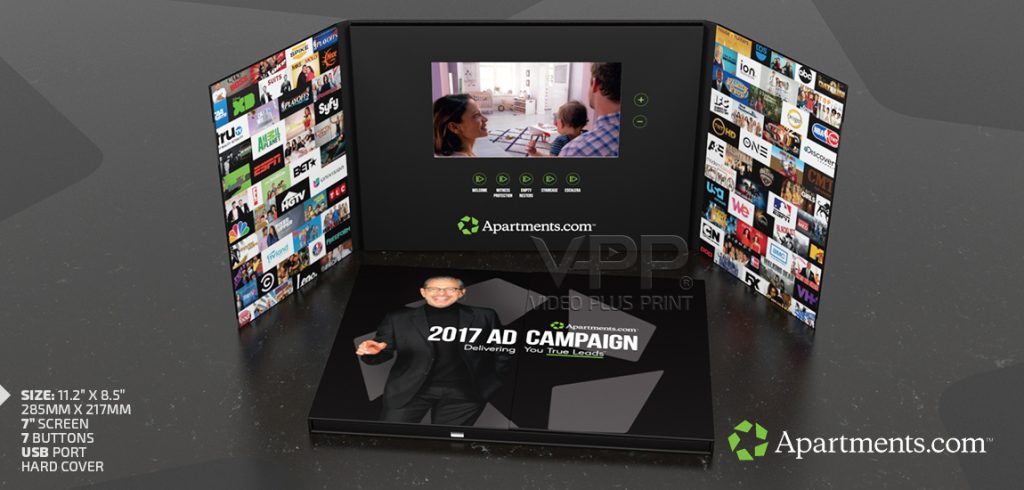
Video Brochures
Bring your brand to life with stunning print and built-in video that captivates, engages, and drives action instantly.
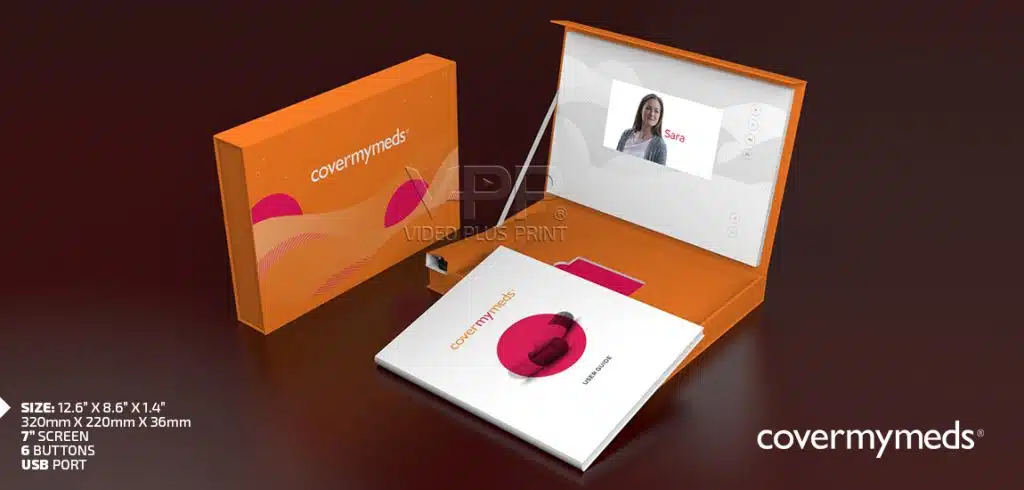
Video Boxes
Transform every unboxing into an unforgettable experience with premium packaging that plays your story the moment it’s opened.
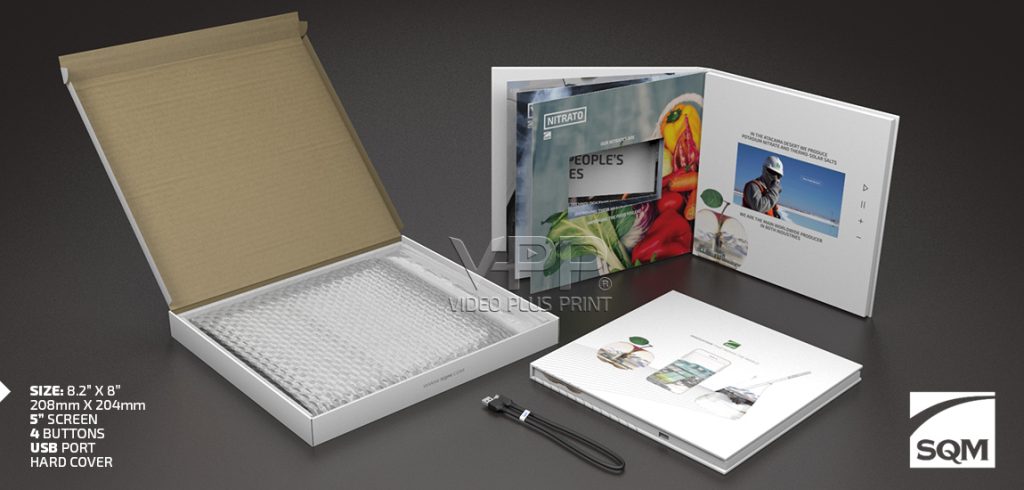
Video Mailers
Cut through the mailbox clutter with interactive mail that surprises, engages, and inspires action the instant it’s opened.
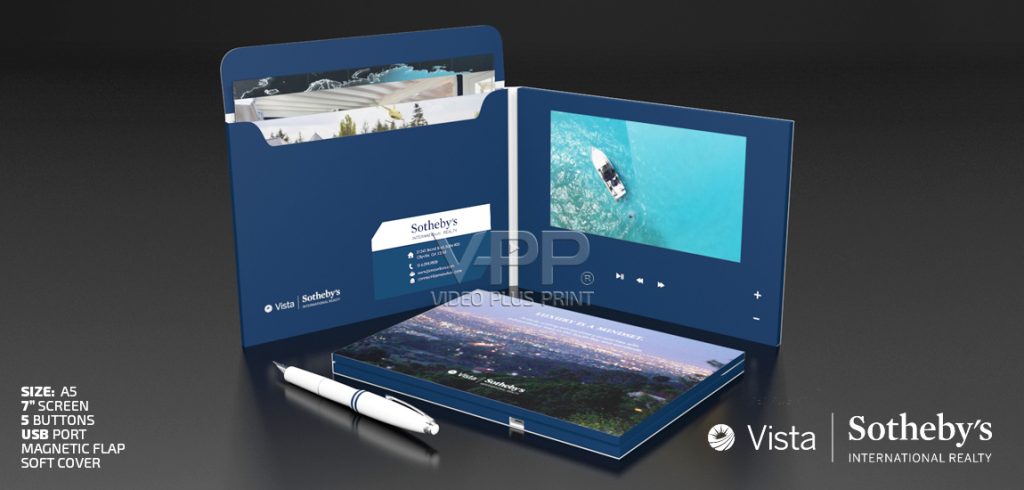
Video Folders
Combine sleek presentation folder with dynamic video to deliver information that’s impossible to ignore and unforgettable to your audience.
Video Books
Tell your story in vivid detail with a premium book format that blends beautiful print and captivating video.
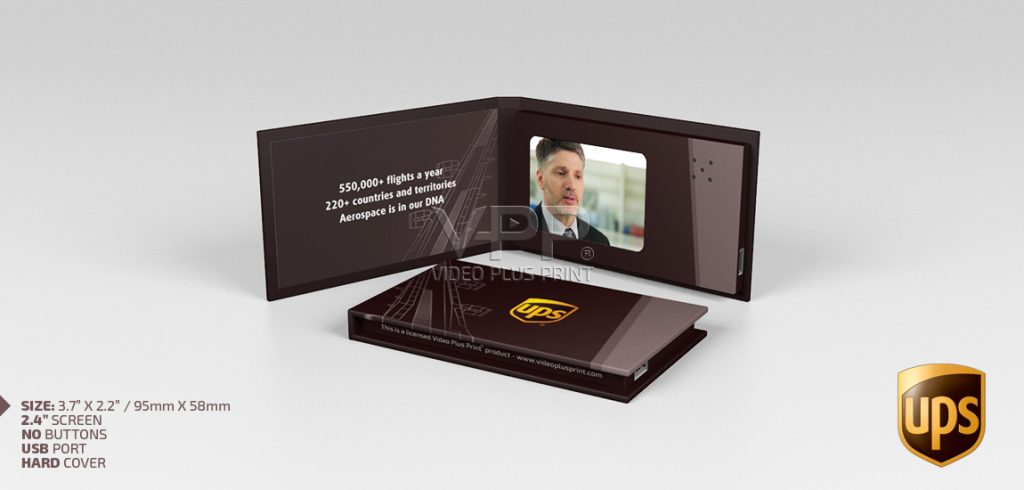
Video Business Cards
Make unforgettable first impressions with a pocket-sized card that plays your message the moment it’s opened.
Get a Free Custom Video Book Quote
Bring Your Entire Story to Life, One Page at a Time.
Video Plus Print manufactures Custom Video Books that combine professionally printed pages with LCD screens, video, and sound.
Choose your book size, screen, printed design, and playback options.
Our manufacturing team can help create a Video Book that meets your presentation requirements and budget.
Frequently Asked Questions About Video Books
Video Book Features and Technology
Q: What is a Video Book?
A: A Video Book is a physical printed book with an integrated LCD screen, speaker, battery, and video storage. It combines multiple printed pages with digital video playback.
Q: How do Video Books work?
A: Video Books use embedded electronics to play video when opened. Configurations with page-turn sensors can also activate different videos as readers turn the printed pages.
Q: What makes Video Books different from regular printed books?
A: Video Books include electronic video displays, sound, and rechargeable batteries. Traditional printed books display only static text and images.
Q: Do Video Books have multiple LCD screens?
A: Most Video Books use one integrated LCD screen to display video. The screen can play different content as readers move through the printed pages.
Q: Can each page of a Video Book play a different video?
A: Yes. Compatible page-turn sensor systems can activate different videos when specific pages turn. The configuration depends on the book’s electronics and construction.
Q: Do Video Books play automatically when opened?
A: Yes. Video Books can use magnetic sensors to begin playback when opened. Additional page sensors can control video changes in multi-page designs.
Q: Can Video Books play more than one video?
A: Yes. Video Books can store multiple video files and provide playback through page-turn sensors or optional navigation buttons.
Q: Do Video Books need Wi-Fi or an internet connection?
A: No. Video Books store content inside their built-in memory and play video without requiring Wi-Fi or internet access.
Video Book Sizes and Customization
Q: What LCD screen sizes are available for Video Books?
A: Video Plus Print offers configurations with 4.3-inch, 5-inch, 7-inch, and 10-inch LCD screens. Additional compact options may be available depending on the project.
Q: What are the physical dimensions of a Video Book?
A: Physical dimensions depend on the LCD screen, number of printed pages, and cover construction. Video Plus Print offers A5, A4, and other custom book sizes.
Q: How many printed pages can a Video Book contain?
A: Page counts vary by design and manufacturing requirements. Video Books can contain several printed pages, with the final number determined during product development.
Q: Can I order hardcover Video Books?
A: Yes. Hardcover Video Books feature rigid covers and support premium printed presentations, corporate communications, and product launches.
Q: Are softcover Video Books available?
A: Yes. Softcover Video Books provide a lighter construction and can offer lower manufacturing costs than comparable hardcover formats.
Q: Can Video Books include custom printed artwork?
A: Yes. You can customize the covers, internal pages, logos, messaging, photographs, and other printed elements.
Q: What premium finishes can be added to Video Books?
A: Options include matte, gloss, soft-touch, metallic foil, Spot UV, embossing, and debossing. Available finishes depend on the selected construction.
Q: Can a Video Book include playback buttons?
A: Yes. Compatible Video Books support optional play, pause, volume, and video selection controls.
Video Content and Updates
Q: Can Video Books be updated using a Mac or PC?
A: Yes. Compatible USB-C Video Books allow video updates using either a Mac or Windows PC. Confirm the correct video format before replacing files.
Q: What video format should I use for a Video Book?
A: MP4 with compatible H.264 encoding is a common choice. The correct resolution and other playback settings depend on the selected screen and electronics.
Q: How long can a Video Book video be?
A: Video length depends on internal memory capacity, video compression, and file size. Additional memory options can support longer presentations.
Q: Do Video Books include sound?
A: Yes. Video Books include integrated speakers that play audio alongside your video content.
Q: Are Video Books rechargeable?
A: Yes. Video Books include rechargeable batteries. Compatible models use USB-C connections for charging.
Q: How long does a Video Book battery last?
A: Battery life depends on screen size, brightness, battery capacity, and playback duration. Video Plus Print can help select a configuration suitable for your presentation.
Q: Can I replace the video after receiving my order?
A: Yes, on compatible configurations. Connect the Video Book to your computer through USB-C and replace the video using the supported file format.
Pricing, Manufacturing and Business Applications
Q: How much do Custom Video Books cost?
A: Select softcover Video Books currently have a published reference range of approximately $40 to $75 USD per unit for quantities of 100 or more. Final pricing depends on specifications.
Q: Are Video Books cheaper when ordered in bulk?
A: Yes. Larger manufacturing quantities generally lower the cost per unit. Final pricing depends on quantity, printing, electronics, and finishing options.
Q: What is the minimum order quantity for Video Books?
A: Video Plus Print offers flexible manufacturing quantities without a fixed company-wide minimum. Small custom orders and prototypes require separate quotations.
Q: How long does it take to manufacture Custom Video Books?
A: Most orders take approximately 3 to 6 weeks after approval. Including Hardcover construction, additional pages, and complex features.
Q: Can Video Books be used for corporate presentations?
A: Yes. Businesses use Video Books for executive communications, product demonstrations, important proposals, and company presentations.
Q: Are Video Books suitable for product launches?
A: Yes. Video Books allow businesses to combine printed product information with video demonstrations, making them useful for premium product launches.
Q: Why order Video Books directly from Video Plus Print?
A: Video Plus Print offers direct manufacturing, Grade-A electronics, custom printing, factory-direct pricing, and experience producing video-in-print products since 2009. With over 30+ years in the printing and marketing space, we have everything you need to have a polished high end Video book.
Video Plus Print Products
Unlocking the Power of Video Brochures: Transforming Brand Promotion Across Industries
What is a Video Brochure? In the fast-paced world of marketing, where attention spans are short and competition is fierce, standing out is more crucial than ever. Consequently, one innovative
Elevate Your Brand with Video Folders: A Comprehensive Guide for All Industries
What is a Video Folder? In today’s crowded marketplace, getting your audience to stop, listen, and remember your message is harder than ever. Traditional marketing often gets overlooked, which is
Send us a Quick Enquiry