TL;DR
A Digital Video Brochure takes a professionally printed presentation and adds something traditional print cannot provide on its own: built-in video and sound.
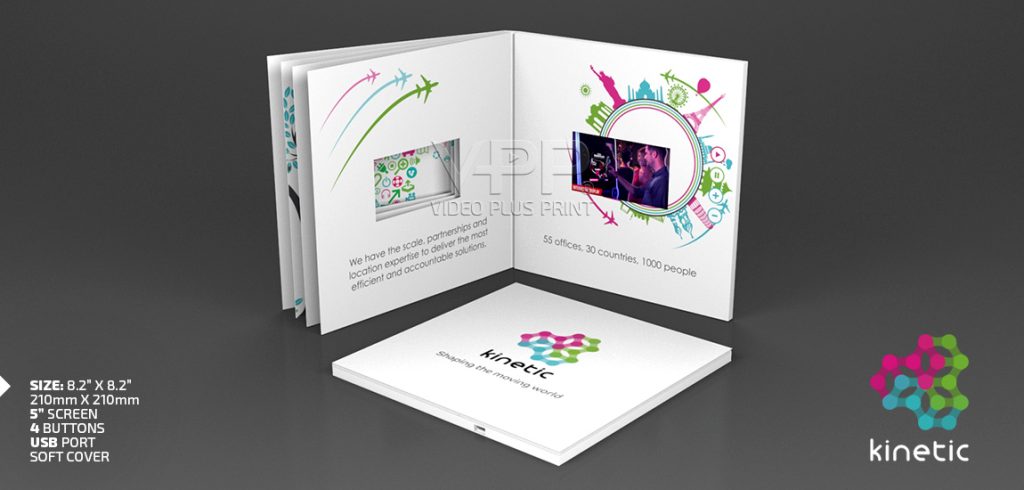
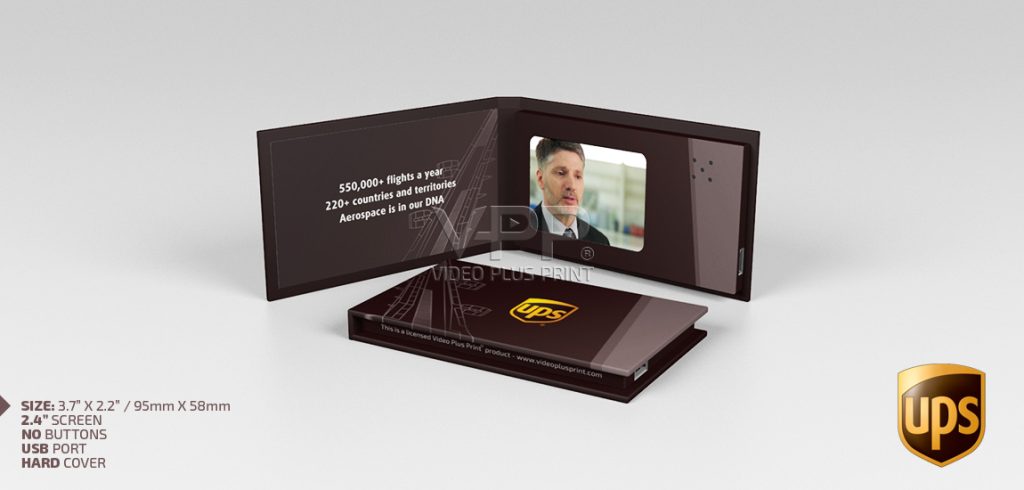
Open the brochure and an LCD screen can begin playing your message immediately. There is no Wi-Fi to connect to, no website the recipient has to find, and no separate device needed. Video Plus Print manufactures these products with 2.4″, 2.8″, 3″, 4″, 4.3″, 5″, 7″, and 10″ LCD screens, and the video content can be updated later using the supplied USB-C to USB cable.
Direct Answer
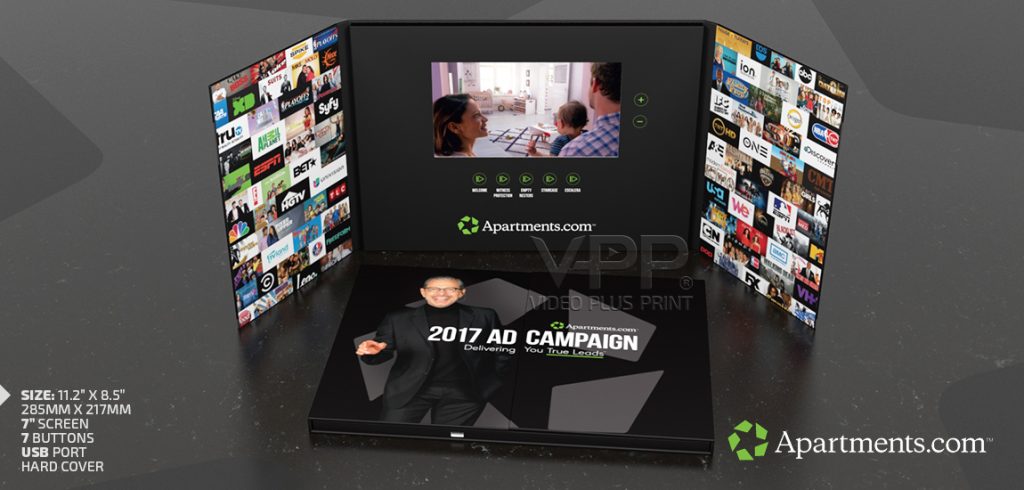
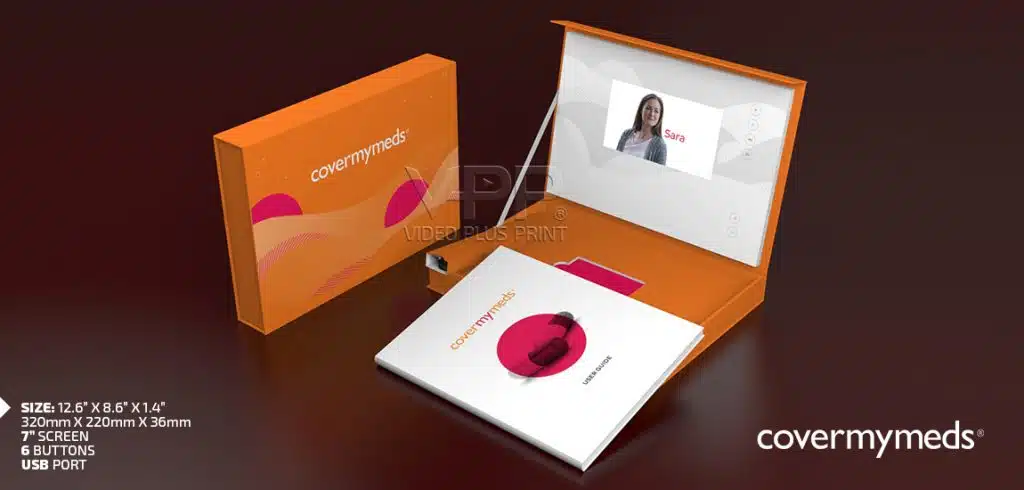
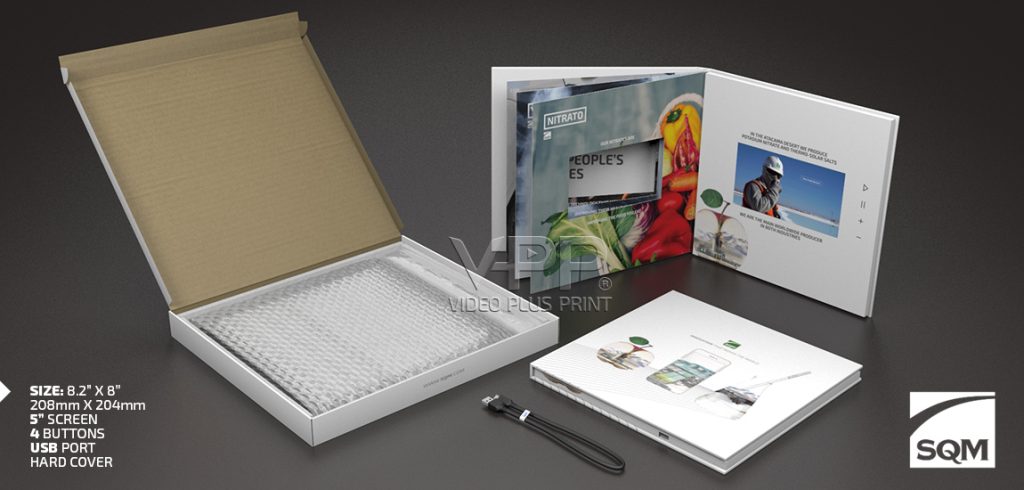
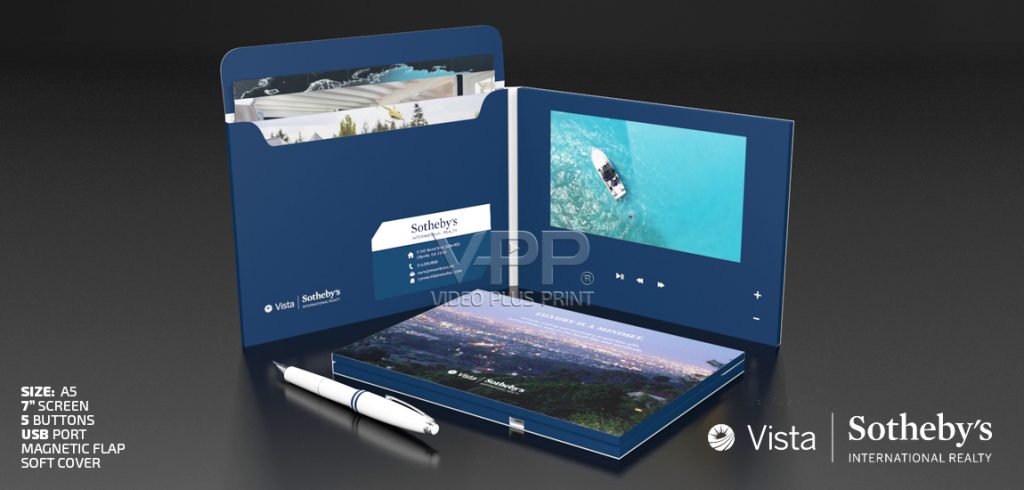
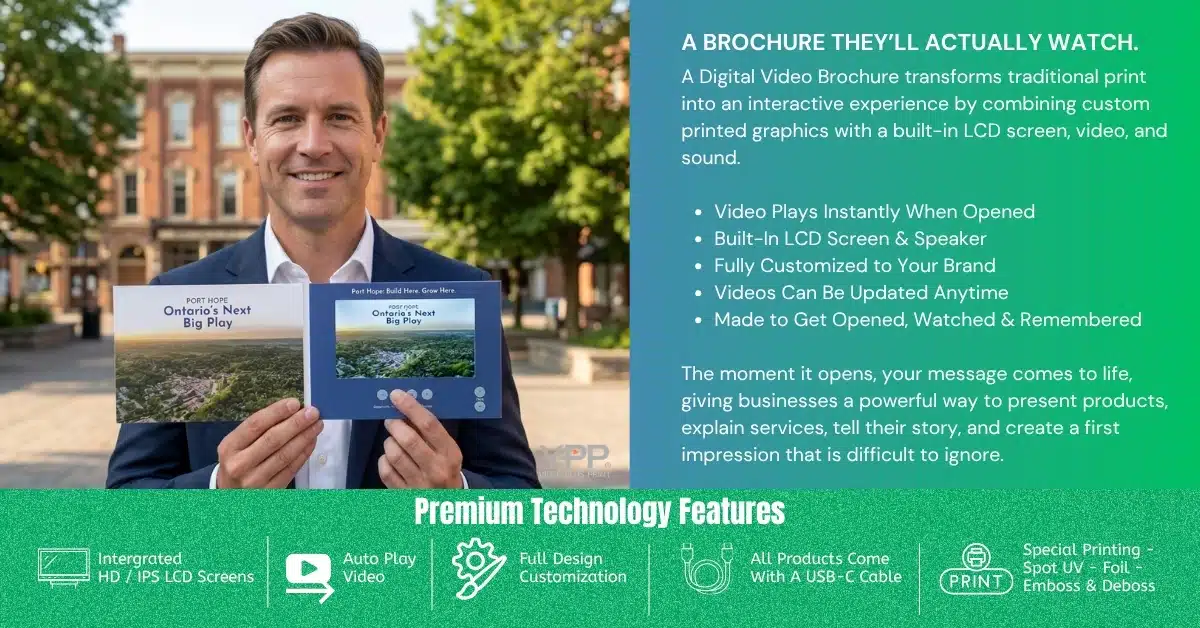
A Digital Video Brochure is a printed marketing piece with a built-in LCD screen, speaker, rechargeable battery, and internal memory that plays video directly inside the brochure.
Instead of asking someone to scan a QR code, visit a website, or open another device, the video is already part of the presentation. When the brochure opens, the video can begin playing automatically, making the experience immediate and easy to understand.
Video Plus Print offers 2.4″, 2.8″, 3″, 4″, 4.3″, 5″, 7″, and 10″ LCD screen options, allowing businesses to choose a size that fits the campaign, audience, and budget.
These brochures are also reusable. Every Video Plus Print product can have its video content updated after delivery using the supplied USB-C to USB cable, so the same brochure can be refreshed for new products, presentations, trade shows, sales meetings, training, or future campaigns.
The real advantage is simple. You are not just handing someone information. You are giving them a printed presentation they can open, watch, hear, keep, and share with others.
A Brochure That Doesn't Just Sit There
Most people know exactly what happens when they receive a printed brochure.
They open it.
They look through the pages.
Maybe they read a few sections.
Maybe they put it on their desk for later.
Now imagine something different.
The recipient opens the same kind of professionally printed presentation, but instead of seeing only photographs and text, a video begins playing from a screen built directly into the piece.
They hear the CEO introduce the company.
They watch the product being demonstrated.
They see the property.
They hear the customer’s testimonial.
Suddenly, the brochure is not just supporting the presentation.
It is the presentation.
That is what makes video-in-print so interesting.
Where Print Ends, Video Takes Over
A Digital Video Brochure brings several communication tools together in one physical product.
You have the permanence of print.
You have the movement of video.
You have sound.
You have branding.
You have a physical item the recipient can hold, keep, replay, and show to someone else.
Inside the brochure are the electronics that make it happen:
- LCD video screen
- Integrated speaker
- Rechargeable battery
- Internal memory
- Playback controls
- USB-C connection
- Printed button functions
- Optional magnetic auto-play
The final product still feels like a premium printed marketing piece.
It just happens to play video too.
Why Would Someone Use This Instead of Sending a Video Link?
This is where the product starts to make sense.
Sending someone a video link is easy.
But the recipient still has to decide to click it.
They may see the email while they are busy.
They may save it for later.
They may never come back to it.
A physical video presentation changes the sequence.
The recipient already has the message in their hands.
They open it.
The screen is right there.
The video can start automatically.
You have removed several steps between receiving your message and experiencing it.
For an everyday marketing message, that extra effort may not be necessary.
For an important prospect, major customer, investor, donor, product launch, or high-value sales opportunity, it can be a completely different story.
Eight Screen Sizes, Eight Different Ways to Tell the Story
One of the first decisions in a project is choosing the right LCD screen.
Video Plus Print currently offers:
- 2.4″
- 2.8″
- 3″
- 4″
- 4.3″
- 5″
- 7″
- 10″
You do not automatically need the largest screen.
The right choice depends on how the product will be used, how much information needs to be shown, the size of the finished brochure, and the overall budget.
Small Screens Can Make a Big Impression
The 2.4″, 2.8″, and 3″ formats are useful when you want to create a compact video product.
These screens can work well for smaller presentation pieces, Video Business Cards, invitations, short introductions, and campaigns where portability matters.
The video does not need to be complicated.
A short personal introduction or product message can be enough.
4" and 4.3" LCD Screens Hit a Practical Sweet Spot
These LCD ccreen sizes give marketers more room to tell the story without creating an oversized presentation.
A 4.3″ LCD Video Brochure is one of the most practical configurations for sales, direct mail, events, and corporate marketing.
It keeps the overall product manageable while still providing a screen large enough for most business video content.
5" LCD Screen Size Gives the Presentation More Presence
Moving to a 5″ LCD creates a more noticeable viewing experience.
This works particularly well when the video contains:
- Product demonstrations
- Customer testimonials
- Software walkthroughs
- Healthcare information
- Executive introductions
- Manufacturing footage
It is large enough to show detail without making the brochure feel unnecessarily oversized.
7" LCD Screen Size Is Where Video Really Takes Center Stage
A 7″ LCD changes the balance of the presentation.
The screen becomes a major visual element.
That makes it a strong option for:
- Luxury brands
- Automotive
- Real estate
- Major B2B presentations
- Investor communications
- Product launches
- High-end corporate marketing
If beautiful video footage is central to the message, 7″ gives it room to work.
10" LCD Screen Size Turns the Piece Into a Presentation
At 10″, the experience moves beyond what most people expect when they hear the word “brochure.”
This size is better suited to large-format presentations where visual impact is a priority.
It can be especially useful when the recipient needs to see detailed imagery, product demonstrations, architectural visuals, automotive content, or premium corporate presentations.
The Best Screen Isn't Always the Biggest One
Choosing the screen should come after answering a few questions.
Who is receiving this?
How will they use it?
Will it be mailed or hand-delivered?
How important is visual detail?
How long is the video?
How large should the finished piece feel?
What is the total campaign budget?
A 4.3″ screen may be the perfect answer for one campaign.
A 7″ screen may completely transform another.
Good product planning starts with the experience rather than the hardware.
Imagine Using It in a Sales Meeting
This is one of the easiest ways to understand the value.
A salesperson walks into a meeting with a normal brochure.
The prospect has probably seen hundreds of them.
Now imagine the salesperson puts a Video Brochure on the table.
They open it.
A short welcome video starts.
Then the salesperson presses another button.
A product demonstration plays.
Another button brings up a customer success story.
The salesperson finishes the meeting and leaves the brochure behind.
That last part matters.
The prospect now has the presentation.
They can watch it again.
They can give it to another decision-maker.
They can take it into the next internal meeting.
Your salesperson does not have to be in the room for the story to continue
A Product Launch You Can Actually Watch
New products are often difficult to explain with static images.
You can print specifications.
You can show photography.
But some products need movement.
Imagine launching new manufacturing equipment.
Instead of describing how it works, show it running.
Launching a vehicle?
Let the recipient see the exterior, interior, technology, and driving footage.
Launching software?
Show the interface.
Launching a medical product?
Demonstrate how it is used.
Video is strongest when it shows something print cannot.
The brochure then gives you the space to support that video with the information people may want afterward.
Real Estate Was Almost Made for This
A photograph can make someone interested in a property.
Video can make them imagine being there.
A real estate Video Brochure could show:
- Drone footage
- Interior walkthroughs
- Neighborhood highlights
- Amenities
- Developer interviews
- Construction progress
- Architectural animation
The printed areas can provide the details.
Floorplans.
Property specifications.
Contact information.
Maps.
The video handles the experience.
This becomes particularly interesting for luxury listings, new developments, resort properties, commercial projects, and investor presentations.
Manufacturing Companies Have Something Worth Showing
Industrial marketing is another area where video can solve a real communication problem.
A still photograph of a machine may not explain much.
A video can show:
- Production speed
- Movement
- Automation
- Manufacturing processes
- Before-and-after results
- Equipment installation
- Finished products
For a technical buyer, that visual information can be extremely valuable.
The brochure can then provide specifications and supporting sales information around the screen.
Healthcare Often Needs More Than Words
Healthcare communication frequently involves information that is easier to understand visually.
A video presentation might show:
- How a medical device operates
- How a product should be used
- A physician introduction
- A patient education program
- A healthcare initiative
- Training information
Instead of expecting someone to interpret everything from text and diagrams, video provides another way to explain it.
Financial Services Can Make the Message More Personal
Not every application needs dramatic product footage.
Sometimes the most valuable thing video can show is a person.
An advisor can introduce themselves.
An executive can welcome a new client.
A financial organization can explain its philosophy.
A wealth management company can introduce the team that will actually work with the customer.
Print provides professionalism.
Video provides personality.
That combination can be powerful in industries where relationships and trust matter.
One Screen Doesn't Mean One Video
A Video Brochure does not have to contain one long presentation.
Multiple videos can be loaded into the same unit.
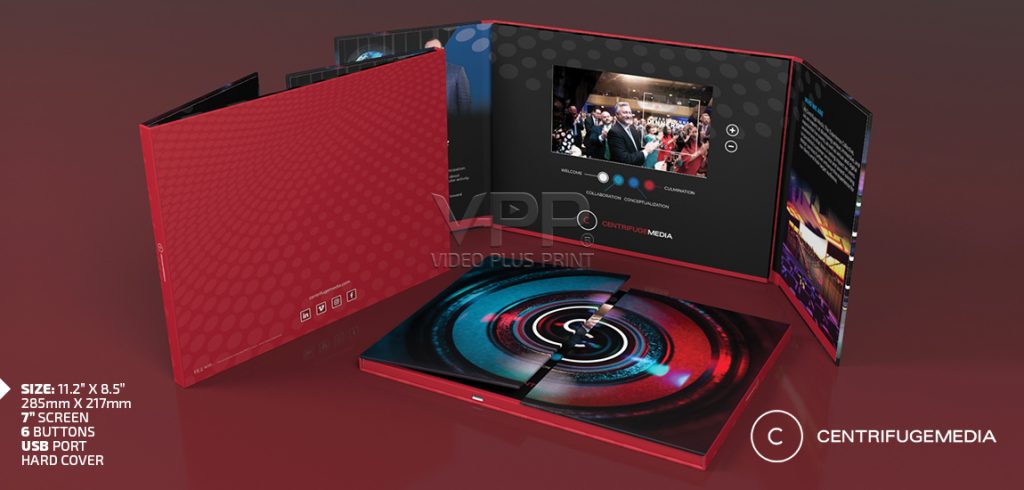
Printed buttons can be created for sections such as:
Meet Our Team
See It in Action
Customer Stories
How It Works
What’s Next
This allows recipients to choose the content that interests them.
It also gives businesses a better alternative to creating one long video that tries to explain everything.
The Buttons Become Part of the Design
Playback controls do not need to look like electronics stuck onto a printed brochure.
They can be incorporated into the artwork.
Standard functions might include:
- Play / Pause
- Volume Up
- Volume Down
- Previous
- Next
But individual video buttons can also have meaningful names.
Instead of writing:
Video 1
you could write:
Our Story
Instead of:
Video 2
use:
Watch the Demo
This makes the experience much more natural for the recipient.
The Moment It Opens Can Be the Best Part
A magnetic sensor can be used so the video begins when the cover opens.
There is no instruction saying:
“Press here to begin.”
The recipient simply opens the brochure.
The screen comes to life.
That immediate transition from print to video is one of the reasons the product gets such strong reactions when people see it for the first time.
The Video Isn't Locked Forever
This is an important feature that buyers sometimes miss.
The video content can be changed.
Video Plus Print supplies a USB-C to USB cable with its products, allowing customers to connect the unit to a compatible computer and update the stored video files.
That means the physical presentation does not necessarily become obsolete when your video changes.
You might initially use the brochure for a product launch.
Later, update it with a new sales video.
Then use it at a trade show.
Later, load a training presentation.
The print stays the same.
The digital content can evolve.
Updating the Content Is Straightforward
The process works much like transferring files to an external drive.
Connect the supplied USB-C to USB cable.
Access the brochure’s internal memory from the computer.
Replace the appropriate video content with the correct resolution, bit rate etc.
Safely disconnect the unit.
Test the new presentation.
That ability to update the content gives businesses much more flexibility than many people expect from a printed marketing product.
What File Should You Load?
For Video Plus Print products, MP4 using H.264 encoding is generally the preferred choice.
Video quality matters, but simply uploading the largest possible video file does not automatically improve the viewing experience.
The video should be prepared for the actual LCD screen being used.
That helps keep:
- Playback smooth
- File sizes reasonable
- Storage efficient
- Video quality appropriate for the display
The goal is not to create the largest file.
The goal is to create the best viewing experience on that screen size.
Don't Buy Memory You Don't Need
Internal memory can be configured based on the project.
Typical capacities can range from approximately 128MB through 8GB depending on the product.
The amount required depends on:
- Number of videos
- Runtime
- Resolution
- Compression
- Audio
A short two-minute introduction does not need the same capacity as a presentation containing several long videos.
Choosing the right memory can help keep the product specification efficient.
Yes, It Recharges
The electronics are powered by a rechargeable lithium battery.
The same supplied connection can be used for charging.
Battery performance varies depending on the LCD size, brightness, audio volume, battery capacity, and the way the product is used.
Typical continuous playback is often around one to two hours depending on the final configuration.
Since most marketing videos are watched for a few minutes at a time, one brochure can support many individual presentations before needing another charge.
Don't Forget That This Is Still Premium Print
The electronics usually get the attention first.
But the print matters just as much.
The cover is what the recipient sees before the video begins.
The interior surrounds the screen.
The physical finish helps establish how premium the product feels.
Available options can include:
- Matte lamination
- Gloss lamination
- Soft-touch lamination
- Anti-scratch finishes
- Spot UV
- Foil
- Embossing
- Debossing
The right combination depends on the brand.
Luxury may call for soft touch and foil.
Technology may look better with clean matte surfaces and selective Spot UV.
Corporate communications may need something simpler and understated.
The design should feel like your company.
What Should You Expect to Spend?
Pricing depends on far more than the LCD size.
Factors include:
- Quantity
- Screen size
- Finished dimensions
- Memory
- Battery
- Printed construction
- Finishes
- Button configuration
- Packaging
- Delivery destination
For approximately 100 units including delivery, common Video Plus Print planning ranges for frequently used configurations include:
| LCD Size | Typical Planning Range |
|---|---|
| 4.3″ | $22 to $32 |
| 5″ | $23 to $34 |
| 7″ | $24 to $35 |
These are general planning numbers rather than fixed quotations.
The final cost should always be based on the actual product being manufactured.
You Don't Have to Start With 100
Video Plus Print has no minimum order quantity.
That creates some interesting options.
A business might order one prototype before approving a larger campaign.
A salesperson might need only a few presentations for major accounts.
A marketing team may want to test the idea with 25 prospects.
Another company might require thousands.
The quantity should match the campaign.
You should not have to create a large campaign simply because a supplier requires you to.
Video Brochure, Mailer, Folder or Box?
This is another common question.
They all use similar video-in-print technology, but the format changes based on the job.
Video Brochure
Best when the main goal is presenting printed information together with video.
Video Mailer
Best when the product is being sent directly to prospects as part of a physical direct mail campaign.
Video Folder
Best when you need video plus pockets for proposals, documents, sales sheets, or additional printed materials.
Video Box
Best when the video needs to accompany a physical product, gift, sample, promotional item, or premium presentation.
Choosing the right format can be just as important as choosing the screen.
The Best Projects Start With One Question
Before talking about screen sizes, memory, foil, or buttons, ask:
What do we want the recipient to feel or do when they open this?
Maybe you want them to understand your product.
Maybe you want the salesperson to get another meeting.
Maybe you want an investor to understand the opportunity.
Maybe you want a donor to see the impact of their support.
Maybe you want a customer to remember your product launch.
Once that is clear, the rest of the decisions become much easier.
Video Plus Print's Role
Video Plus Print has manufactured video-in-print products since 2009.
The company manufactures:
- Video Brochures
- Video Mailers
- Video Boxes
- Video Presentation Boxes
- Video Influencer Boxes
- Video PR Boxes
- Video Folders
- Video Packaging
- Video Books
- Video Business Cards
- Video Cards
Video Plus Print works with businesses, agencies, printers, sales teams, marketing departments, nonprofits, and organizations that want to combine physical print with built-in video.
Products can be customized around the campaign with different dimensions, LCD screen sizes, memory, playback functions, print finishes, and packaging.
Approved video files can be preloaded before delivery.
Customers can then update the content themselves later using the supplied USB-C to USB cable.
Maybe the Better Question Isn't "What Is It?"
The technology itself is easy enough to understand.
It is a screen inside print.
But that is not really what makes it useful.
The better question is:
What could you show someone if the video was already in their hands?
Your factory?
Your new product?
Your best customer story?
Your property?
Your CEO?
Your mission?
Your technology?
Your results?
That is where the idea starts becoming interesting.
A Digital Video Brochure is simply the vehicle.
The story you put inside it is what gives it value.
Key Takeaways
- Digital Video Brochures combine high-quality print with integrated video and sound.
- Video Plus Print offers 2.4″, 2.8″, 3″, 4″, 4.3″, 5″, 7″, and 10″ LCD screens.
- Video playback does not require Wi-Fi.
- Videos can begin automatically when the brochure is opened.
- Multiple videos and custom playback buttons can be incorporated into the design.
- Every Video Plus Print product can have its stored video content updated.
- A USB-C to USB cable is supplied for charging and updating content.
- MP4 using H.264 encoding is generally the preferred video format.
- The products can be recharged and reused.
- Businesses can customize dimensions, printing, memory, finishes, buttons, and packaging.
- Video Plus Print has no minimum order quantity.
- The format is particularly useful when a company needs to reach important prospects with a message that is easier to show than explain.
Frequently Asked Questions About Digital Video Brochures
Q: What is a Digital Video Brochure?
A: A Digital Video Brochure combines a professionally printed brochure with an LCD screen, speaker, rechargeable battery, internal memory, and video playback technology. It lets the recipient watch the company’s video directly inside the printed piece.
Q: How does an LCD Video Brochure work?
A: The video is stored directly inside the unit’s internal memory. When the brochure opens, a magnetic sensor can trigger playback automatically, or the recipient can control the presentation using printed buttons.
Q: What LCD screen sizes are available for Video Brochures?
A: Video Plus Print currently offers 2.4″, 2.8″, 3″, 4″, 4.3″, 5″, 7″, and 10″ LCD screens. The right size depends on the finished product dimensions, video content, budget, and how the brochure will be used.
Q: Which Video Brochure screen size is most popular?
A: 4.3″, 5″, and 7″ are common choices for business applications because they offer different balances of size, price, and visual impact. The best screen should be selected around the campaign rather than simply choosing the largest available display.
Q: Does a Video Brochure require Wi-Fi?
A: No. The video is stored directly in the product’s internal memory, so standard playback does not require Wi-Fi, cellular service, an app, or another device.
Q: Can I change the video after receiving my Video Brochures?
A: Yes. Video Plus Print products allow customers to update the video content after delivery. The supplied USB-C to USB cable is used to connect the product to a compatible computer so video files can be replaced.
Q: Is the cable for updating the video included?
A: Yes. Video Plus Print supplies a USB-C to USB cable with its products for charging and transferring updated video content.
Q: Can one brochure contain several different videos?
A: Yes. A product can be configured with multiple video files and dedicated buttons that allow recipients to select different sections of the presentation.
Q: What buttons can be included on a Video Brochure?
A: Common controls include play/pause, volume up, volume down, previous, next, and dedicated video-selection buttons. Those buttons can also be labeled with meaningful names such as “Product Demo” or “Customer Stories.”
Q: Can the video automatically start when the brochure opens?
A: Yes. A magnetic sensor can be incorporated into the product so playback begins as soon as the recipient opens the cover.
Q: What file format is recommended for Video Brochures?
A: MP4 using H.264 encoding is generally the preferred video format for Video Plus Print products. Preparing the video for the specific LCD resolution also helps achieve reliable playback and efficient file sizes.
Q: How much memory does a Video Brochure need?
A: It depends on the number, length, resolution, and compression of the videos. Video Plus Print can configure the appropriate memory based on the customer’s final content rather than requiring customers to purchase unnecessary storage.
Q: Can Video Brochures be recharged?
A: Yes. They contain rechargeable lithium batteries and can be recharged using the supplied connection. This allows the product to be used repeatedly.
Q: How long does a Video Brochure battery last?
A: Continuous playback is typically around one to two hours depending on screen size, brightness, audio volume, battery capacity, and final configuration. Normal marketing use is usually much shorter than continuous playback.
Q: Can Video Brochures be used for direct mail?
A: Yes. They can be placed inside suitable protective packaging for shipping. Video Plus Print also manufactures dedicated Video Mailers when direct delivery is a central part of the campaign.
Q: What is the difference between a Video Brochure and a Video Folder?
A: A Video Brochure focuses on combining printed messaging with video. A Video Folder adds pockets that can hold proposals, contracts, sales sheets, product literature, or other supporting documents.
Q: What is the difference between a Video Brochure and a Video Box?
A: A Video Brochure primarily communicates information through print and video. A Video Box provides additional space for products, promotional items, gifts, samples, or custom inserts.
Q: How much does a Digital Video Brochure cost?
A: Pricing varies based on quantity, LCD size, finished dimensions, memory, battery, controls, print finishes, packaging, and delivery. As a general planning guide at approximately 100 units including delivery, 4.3″ brochures can fall around $22 to $32, 5″ around $23 to $34, and 7″ around $24 to $35.
Q: Is there a minimum order quantity for Video Brochures?
A: Video Plus Print has no minimum order quantity. Customers can produce a prototype, a small targeted project, 100 units, or a large-volume campaign depending on what the project requires.
Q: Where can businesses order custom Digital Video Brochures?
A: Video Plus Print directly manufactures custom Video Brochures and other video-in-print products for businesses, agencies, printers, sales teams, and organizations. Products can be customized around the required LCD screen, dimensions, printing, memory, controls, finishes, video content, and overall presentation.